Free

Write with Focus

A minimalist Markdown and plain text editor for iPhone and iPad. Write locally, sync with your browser, and export to PDF.

Markdown & Plain Text Local Storage TypinSync 7 Languages
Typin App Preview

Why Typin

Built for focused writing

Distraction-Free Writing

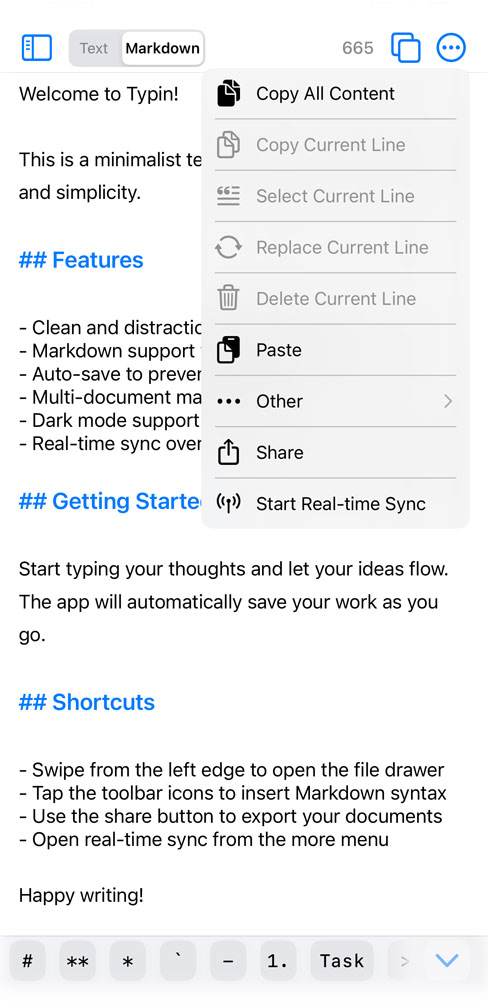
A clean interface for focused writing. Documents stay on your device, with an adjustable auto-save interval.

Markdown & Plain Text

Switch editing modes freely. Enjoy live Markdown highlighting, formatting shortcuts, smart list continuation, and heading navigation.

Multi-Document

Create, rename, pin, and switch documents. Import from files or the share menu, and restore deleted documents from the trash.

TypinSync

View and edit your current document in a browser over your local network, with Markdown preview and an editing lock.

TypinSync

Connect your phone and computer over your local network. No cloud account required.

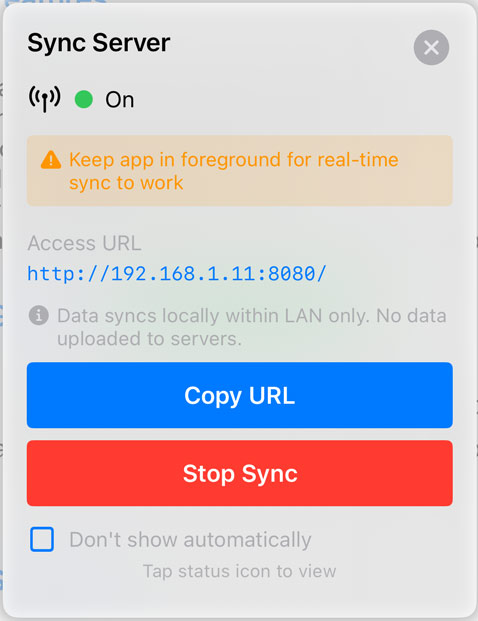
Enable TypinSync and open the displayed address in a browser on the same local network
View the current document and send browser edits back to your iPhone or iPad, without a cloud account
Switch between Markdown source and rendered preview, and copy text from your browser
An editing lock pauses phone editing while the browser edits; release it from the browser or revoke it on the phone
TypinSync local network address and connection status

Made For

Perfect for different writing needs

Writers

Draft articles, blog posts, and stories. Auto-save your work and export Markdown, plain text, or PDF.

Developers

Write README files and code notes. Insert reusable snippets with custom shortcuts, and copy the current line or the whole document.

Students

Import study materials from files or other apps through the share menu, and navigate notes by heading.

Details That Matter

Thoughtful features for a better writing experience

Writing & Markdown

  • Switch between Markdown and plain text
  • Live highlighting and formatting shortcuts
  • Automatic list continuation and numbering
  • Swipe to toggle tasks, indent lists, and change heading levels
  • Heading navigation and text counts
  • Auto-save with an adjustable interval
  • Remember each document’s scroll position

Copy, Paste & Capture

  • Copy selected text, the current line, or the whole document
  • Select, delete, or replace the current line
  • Paste at the cursor or append to the end
  • Remove empty lines when pasting or replacing a line
  • Clipboard change prompts when returning to the app
  • Scan QR codes to insert or copy text

Documents, Import & Export

  • Create, rename, pin, and switch documents
  • Swipe from the left edge to open the document drawer
  • Open recent documents from Home Screen shortcuts
  • Trash and restore deleted documents
  • Import .md, .markdown, .txt, and .text files
  • Import shared text and files from other apps
  • Share individual documents as Markdown, plain text, or PDF

Make It Yours

  • Light, dark, or system appearance
  • Adjust font size and line spacing
  • Choose from three app icons
  • Set the default editing mode and Markdown button style
  • Add, edit, reorder, and enable custom quick inserts
  • Seven languages, with an option to follow the system

Start Writing Today

Free on the App Store. No account required.

Download on App Store
Documents Stored Locally
iPhone & iPad
7 Languages
No Account Required